
Diagnosis
Work from the outside in. Each step tells you which part is to blame: your network, the extension, or the app.
1. Is it the network?
Open Settings, Network and choose Test connection. It loads a small page through the settings on the page and shows the time it took, or the error.
- Fails: set Proxy to System and DNS-over-HTTPS to Off, then test again. If that works, the setting you turned off was the problem.
- Works but one source does not: the network is fine. If the source works on another network, it is probably blocked by DNS: try DNS-over-HTTPS on Always.
2. Is it the extension?
- Does the same manga work on another source? Then the first source's extension is the problem.
- Update the extension from Extensions. Sites change often and the fix ships in the extension.
Read the extension log
Extensions, ⋮, View logs shows the extension's own messages, every request it makes and every failed call. Look for the request that fails and its status.
3. Is it the app?
- Look at the version and how Matane was installed under Settings, About, and check Changelogs for a fix. On the Beta channel you also get pre-releases.
- Set Log level (Settings, Advanced) to Debug, reproduce the problem and read the log: Logs opens the folder.
Reporting a bug
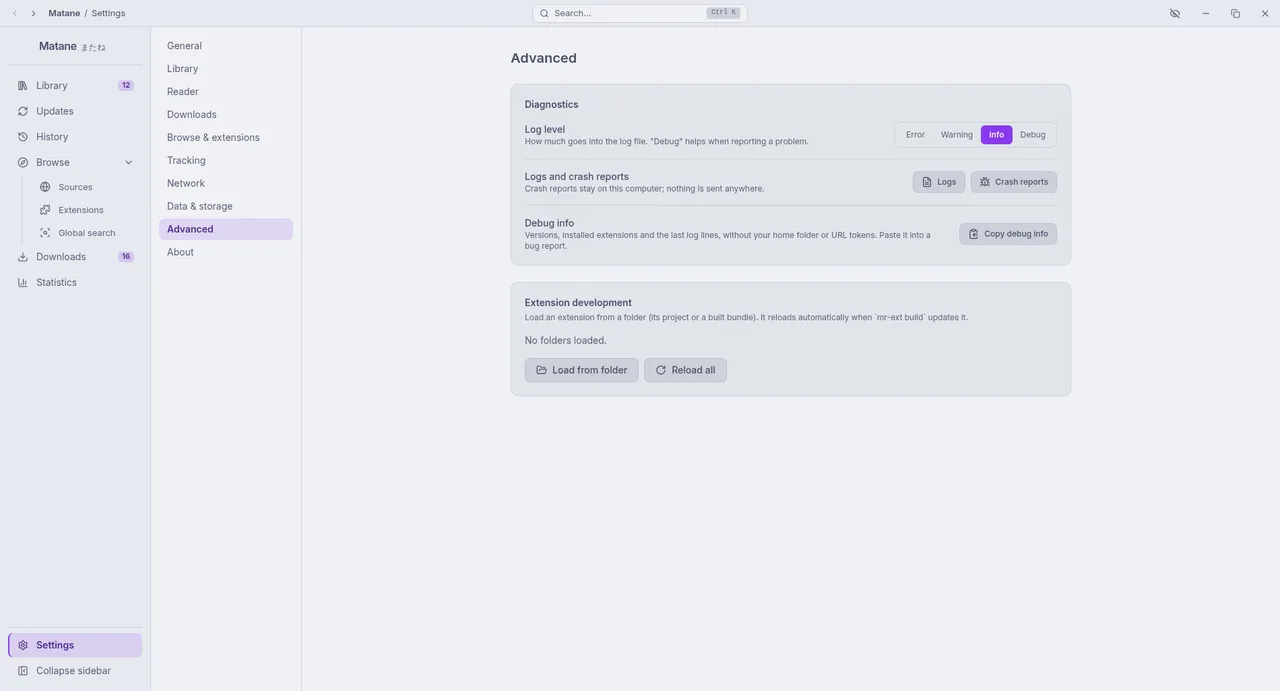
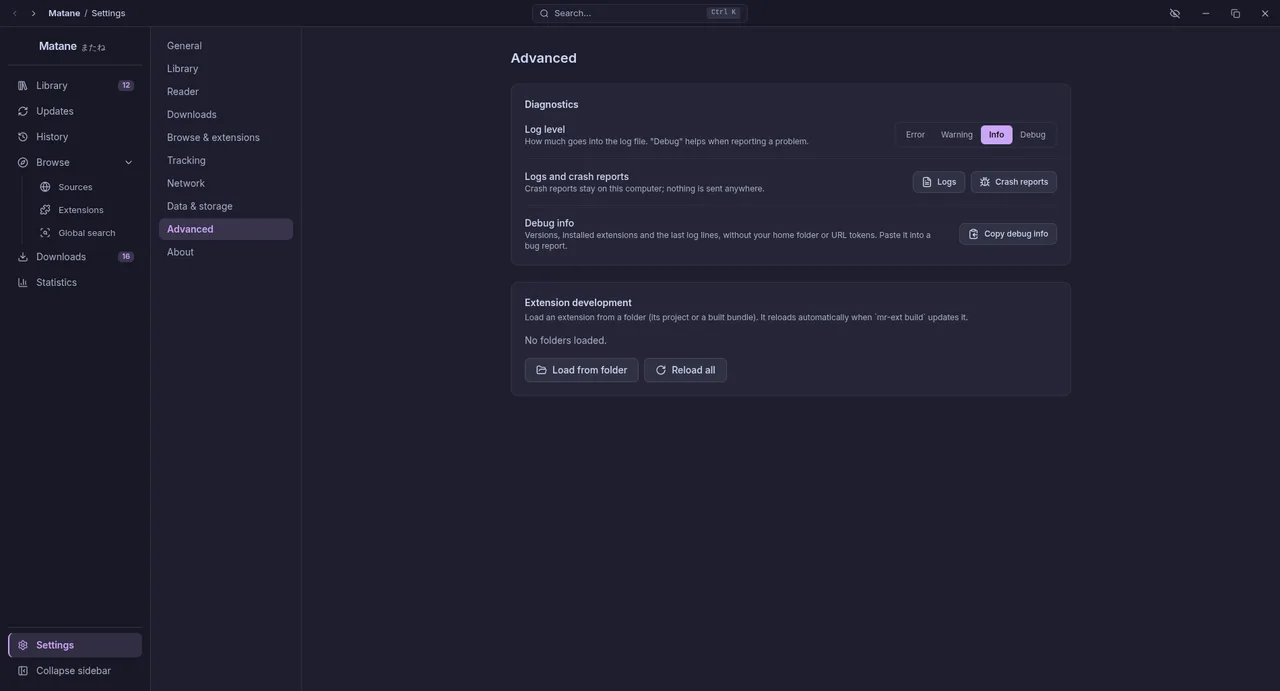
- Settings, Advanced, Copy debug info. It copies the versions, how Matane was installed, your extensions and the last 100 log lines, with your home folder, user name and URL tokens removed. Read it before you share it.
- Set Log level to Debug, reproduce the problem, and copy the debug info again for more detail.
- Open an issue at github.com/mataneorg/matane/issues and paste it. Add what you did, what you expected and what happened.
If Matane crashes, Settings, Advanced, Crash reports opens the folder with the crash dumps. They never leave your computer unless you attach them.
Do not paste passwords or proxy credentials. Security problems: report them privately, as described in SECURITY.md.
A source that breaks because its website changed is not a bug in Matane. Report it to the repository of the extension that provides it.