
Downloads and offline
Episodes can be downloaded and watched without a connection. A downloaded episode is always played in preference to streaming.
Downloading
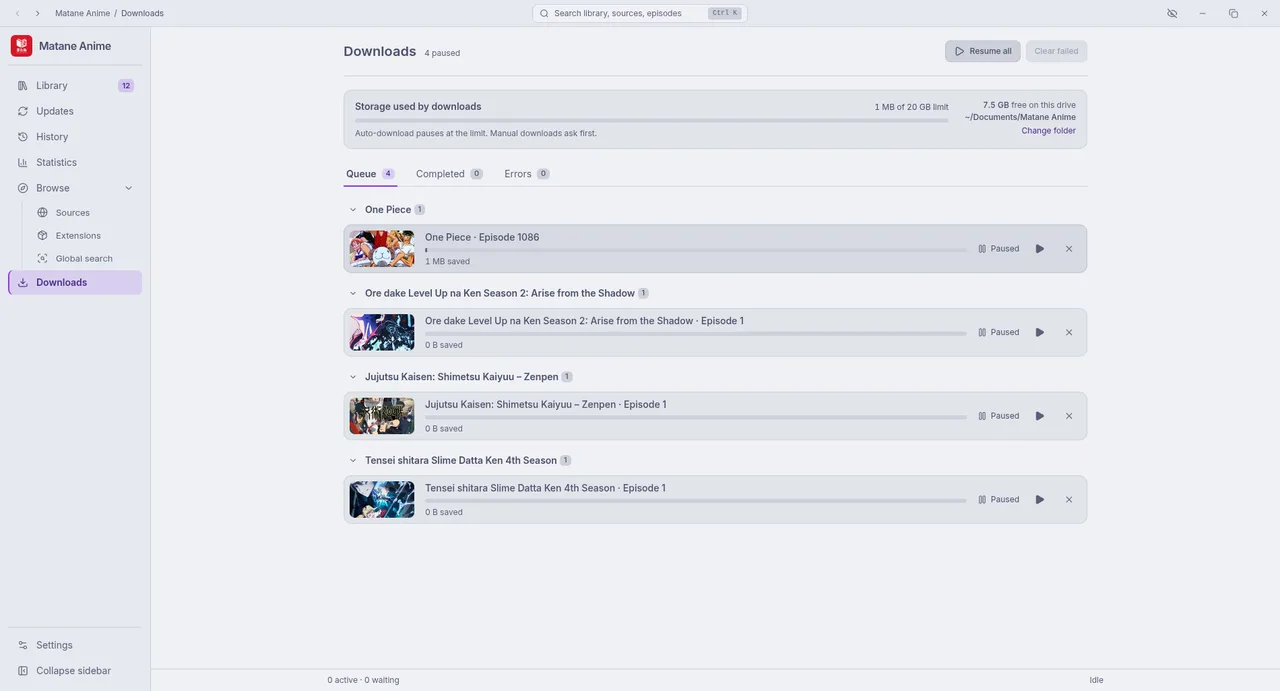
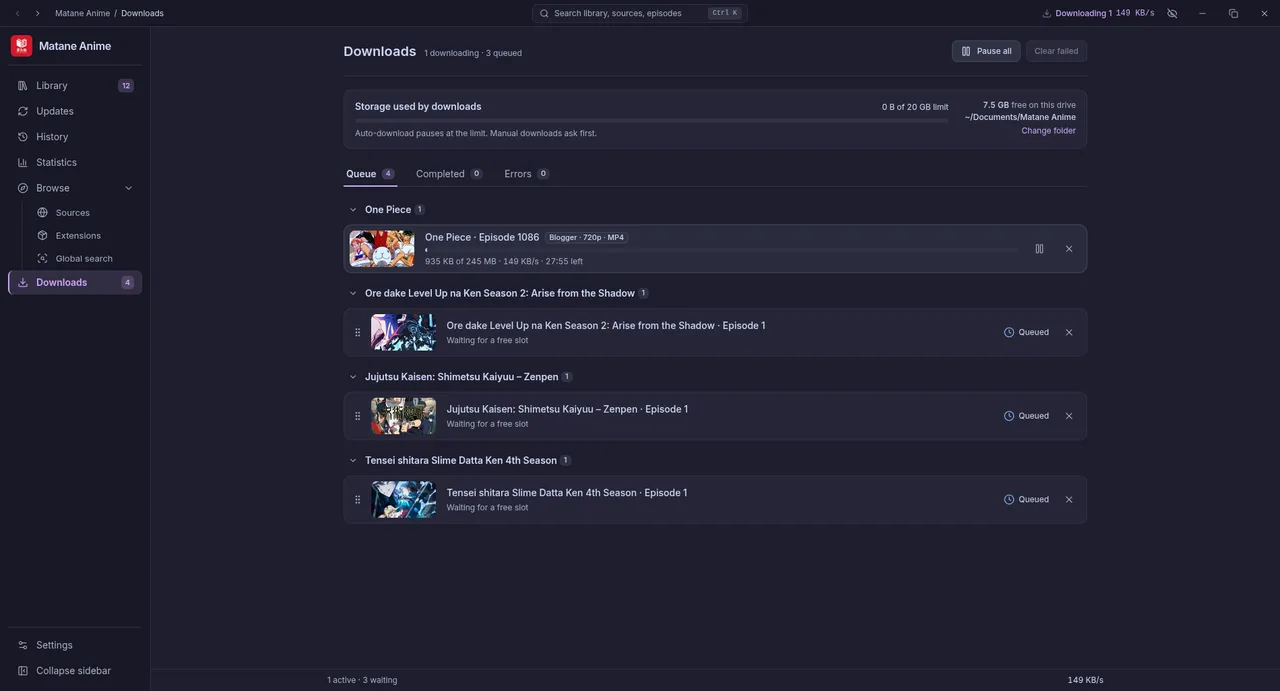
Download episodes from an anime's page. The app handles two kinds of stream:
- HLS (
.m3u8, video on demand): it picks the variant that matches your download quality, fetches the segments (including encrypted AES-128 ones and separate audio) and rewrites the playlist to local paths. A live stream (no end marker) is refused with a clear message. - MP4: downloaded with resume.
The Downloads page shows the queue with progress, speed and time left. It is persistent, so it continues after you reopen the app. One episode downloads at a time by default (1 to 3 in Settings). You can pause or resume everything or one item, reorder, cancel or delete.
TIP
Failed segments are retried three times. A download that still fails shows an error with a retry button, and the queue waits while you are offline. If the app is closed or a download fails, what is already downloaded is kept, so a retry fetches only what is missing.
Folder and limits
- The default folder is
Documents/Matane Anime, in the layout<folder>/<Source (LANG)>/<Anime>/<Episode>/. Changing the folder in Settings moves the downloads. - The app checks free disk space before it starts, and warns when it cannot estimate the size and less than 2 GB is free.
- A total size limit (20 GB by default) stops automatic downloads when it is reached; you can still download manually after confirming. Settings, Downloads is where these options live (Settings reference).
Automatic downloads
- Auto-download new episodes is off by default, set in Settings, Library. Click a category to include it, again to exclude it. When any category is included, only those are downloaded; exclude always wins. You can also turn it on for one category from its tab's context menu.
- Download ahead while watching (Settings, Downloads) saves the next episodes of an anime in your library as you watch.
- Delete after watching removes a downloaded episode once it is watched and the next one has been too, right away or after a few more. Keep downloads for these categories exempts the anime you want to keep.
- A size limit applies to all of it: automatic downloads stop when it is reached, and manual ones ask first.
Watching offline
Downloaded episodes play without a connection, in the same player and with the same progress as streamed ones (Watching and progress).
If the file of a downloaded episode is missing (for example you deleted it from the folder), the download is marked broken and the app falls back to streaming. A download that failed part-way shows an error with a retry button.