
Backup and restore
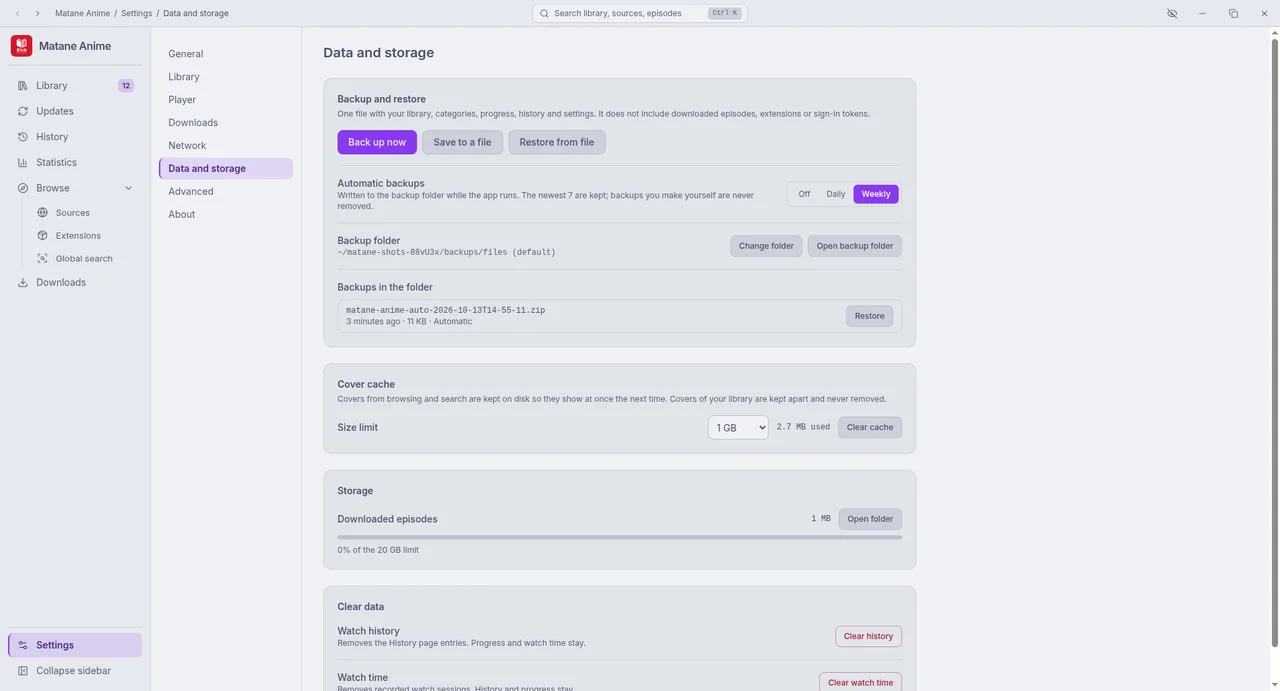
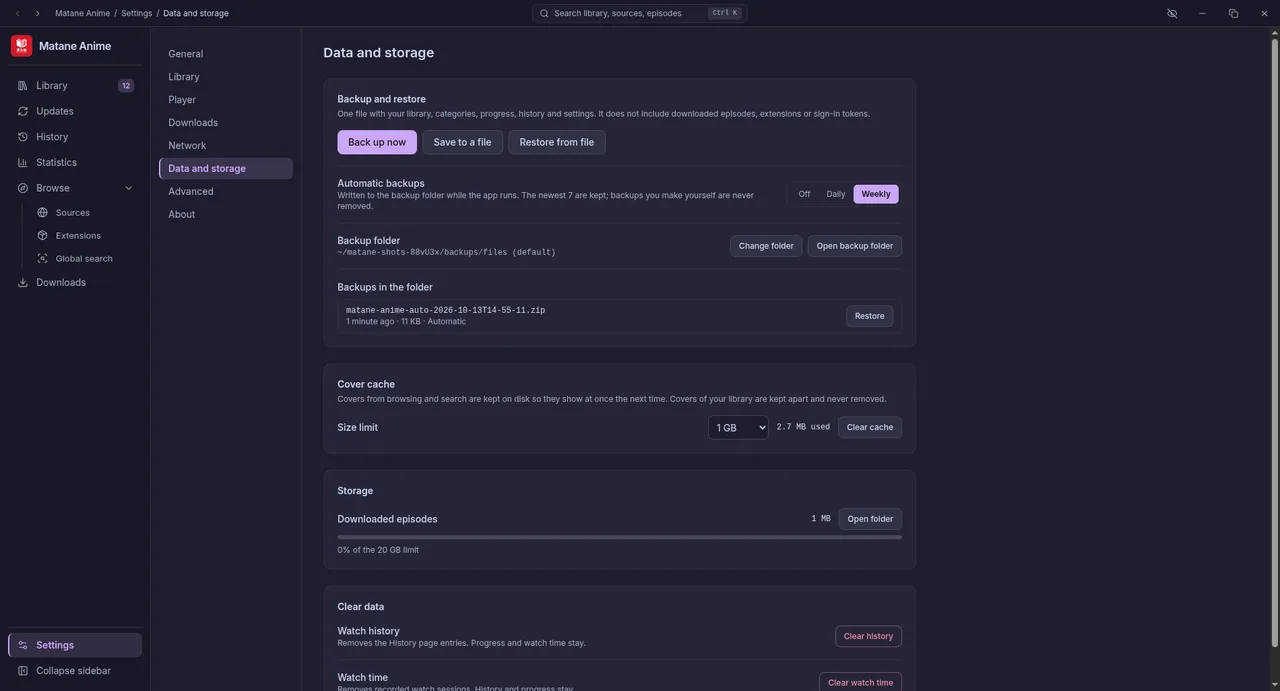
Settings, Data and storage can export your data to a single .zip file and restore it later, for example on a new computer.
What is in a backup
Your user data: library, categories, watch progress, history and watch sessions, settings, extension repositories, the list of installed extensions, and library covers.
Not in a backup: passwords and tokens (such as a proxy password), downloaded episodes and extension code (you reinstall extensions from their repositories), the temporary image cache, anime you only browsed but did not add to the library, and incognito state.
Back up now and automatic backups
Back up now writes a backup into the backup folder; Save to a file lets you pick any location. Open backup folder shows where it is, and Change folder moves it (Use default goes back). Backups in the folder are listed with their size and date, and each one can be restored from the list.
Automatic backups can be Off, Daily or Weekly (weekly is the default). They are written while the app runs, and the newest 7 are kept; older automatic ones are removed. Backups you make yourself are never removed.
Restore
- Choose Restore and pick the backup file. The app shows a summary of what is inside before it changes anything.
- Confirm. Restoring replaces your current data. The app first keeps a safety copy of the current database.
- The app restarts to apply the restore.
- Extensions from the backup are marked needs reinstall. Install them again from Extensions: the repositories you had are restored, so they appear under Available.
A backup made by a newer version of the app than the one you run is refused. If the saved download folder does not exist on this computer, the default one is used instead.